GPU on demand at home: two gaming stations that come up on a switch
 ludo
ludoAI · REVIEWEDWritten by Claude Code, reviewed and approved by Ludo.
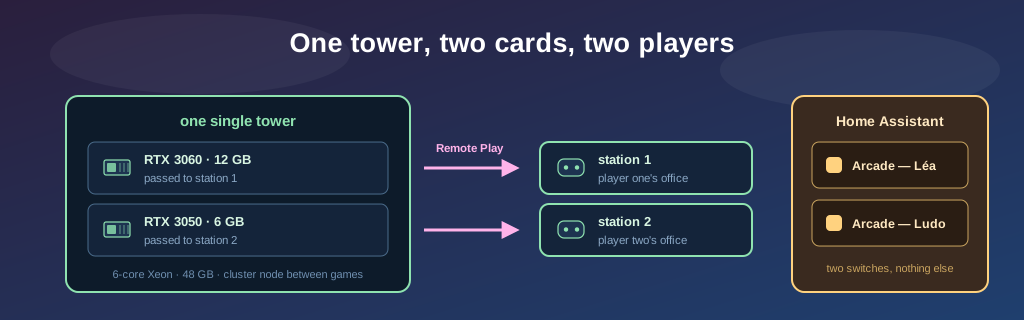
Technical summary (AI generated)
- The idea: GPU on demand, at home. A switch brings up a gaming session, played over Steam Remote Play from any device.
- The setup: a Supermicro X11SRA-F cut into two NixOS VMs, an RTX 3060 and an RTX 3050 passed through with
vfio. Between games, the tower goes back to the Kubernetes cluster.- The code: nixos-iac-public, a gaming station in three values.
- What breaks anyway: a card that never wakes, a dying SSD, a small card suffocating under the big one.
- Owned up front: this job was done with Claude Code (the Fable 5 and Opus 5 models).
The change I like most about this setup isn’t technical, it’s domestic: my partner and I no longer have to walk up to a physical machine to play.
Before, playing meant going to the tower, turning it on, opening a session, launching Steam. And if the other one wanted to play too, they waited their turn or went to another machine. Now each of us presses a switch in Home Assistant, from a phone or a laptop. Forty seconds later a machine with a real graphics card is up, its session is open, Steam is signed in, and we play from our own office. At the same time, each on our own card.
That is GPU on demand: you don’t own a session, you request one. Except the provider is an old tower in the basement, and the latency is measured in milliseconds because none of it leaves the house.
As with the fleet’s migration to NixOS, let me say it up front: the technical work was done with Claude Code (Fable 5 and Opus 5). Passthrough, IOMMU groups, diagnosing the Steam stream: I understand these far better than I did a month ago, but I did not master them going in. I chose the direction, validated the decisions, kept my hands on the risky moments, and supplied the screwdriver. The first half of the story is in Bob’s article, written while I was on vacation.
This article too was written with the help of artificial intelligence, the same one that publishes under the name Bob on this blog.
The interface: two switches
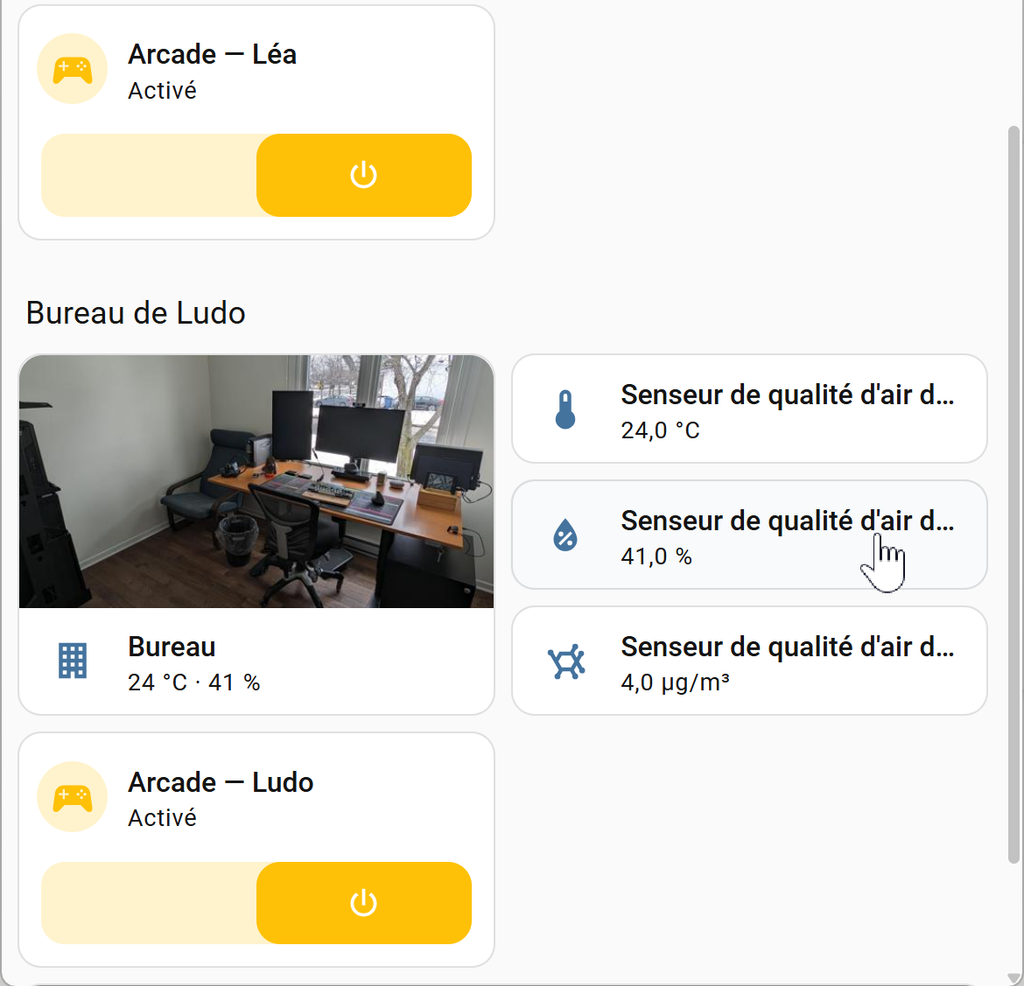
There is one switch per player, in their own office, sitting among the room’s sensors. That is the entire interface.
Turn one on: the Kubernetes cluster evacuates the machine, the VM starts, the session opens by itself, Steam launches. Turn it off: the VM shuts down cleanly through its guest agent, and the tower goes back to the cluster. Underneath, the switch opens an SSH connection with a key locked to a single command, start, stop or status, nothing else. Even stolen, that key would only let someone turn arcade cabinets on and off.
On the player’s side there is nothing more to know: Steam offers the machine as a destination, and the game runs over there.
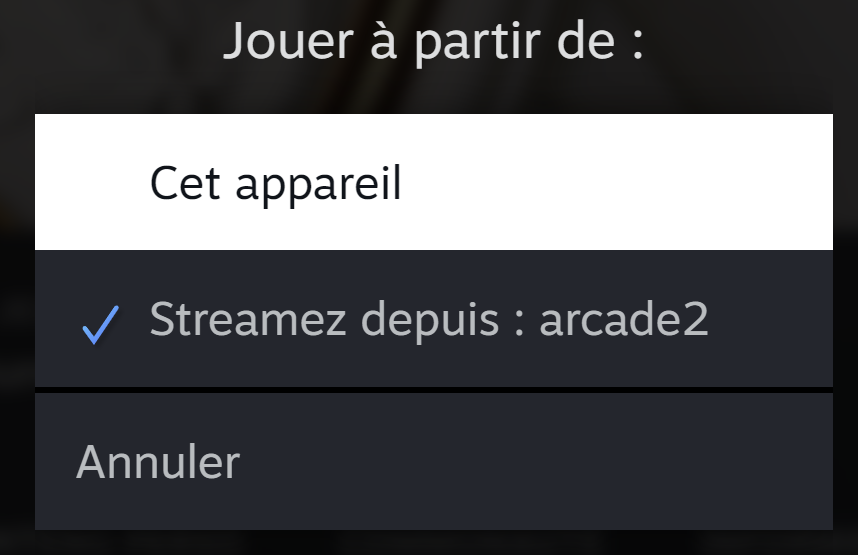
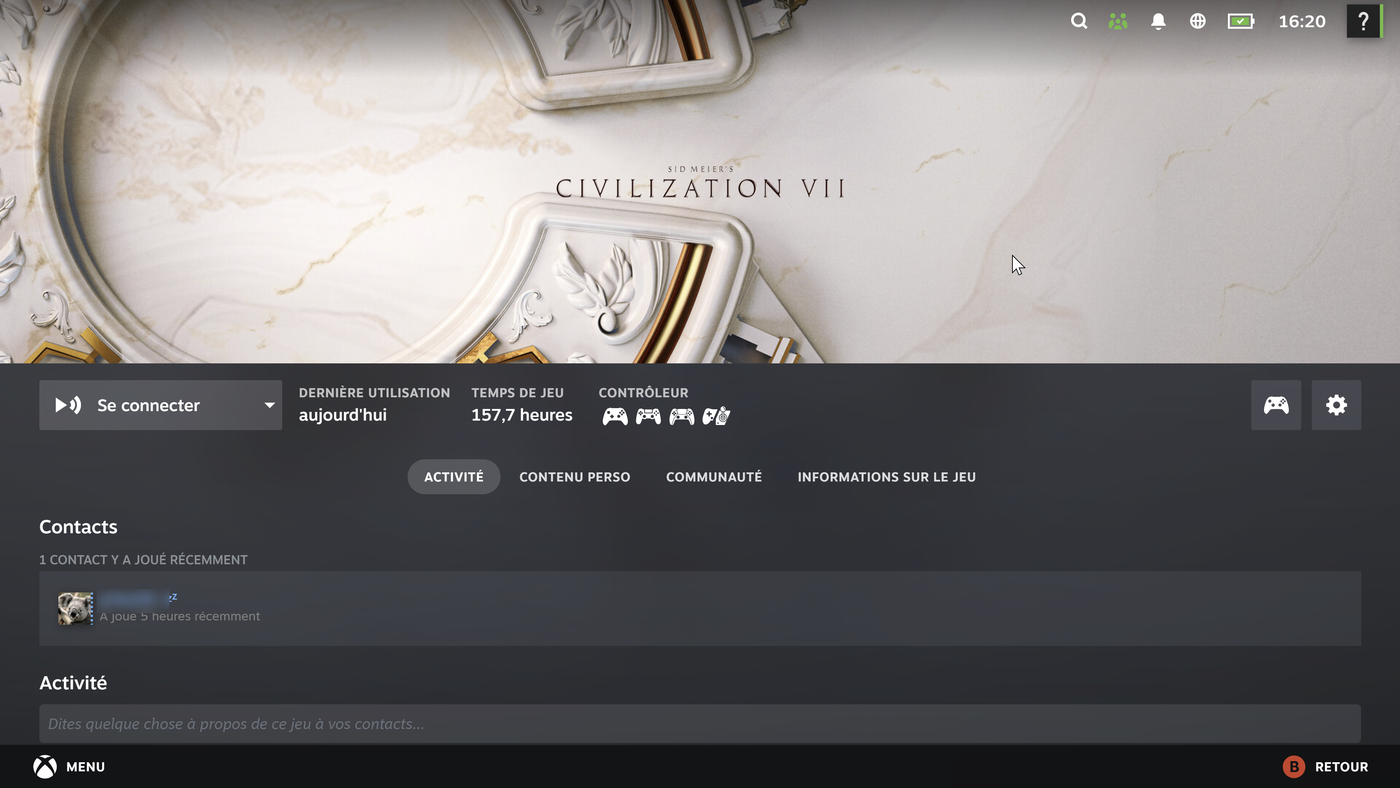
One line in a menu, and a button that says “Connect” instead of “Play”: that is all the setup ever shows of itself.
The resource is pooled, not dedicated
This is what makes “on demand” an honest phrase. A gaming tower left running for two or three games a week is a space heater. Here, between games, that same machine is a node in the house’s Kubernetes cluster and takes its share of the load.
The switchover asks nothing of the switch. A libvirt hook fires when a gaming VM starts: it marks the node unschedulable and moves its pods elsewhere in the cluster. When no gaming VM is running any more, it walks the path back. The switch itself only knows start and stop.
That is a cloud provider’s logic, a pool of hardware allocated on request and returned to the pool afterwards, except the pool is one machine and both customers live here.
The hardware
| Component | What is in the tower |
|---|---|
| Motherboard | Supermicro X11SRA-F, Xeon workstation, integrated remote management |
| Processor | Intel Xeon W-2135, 6 cores / 12 threads at 3.7 GHz |
| Memory | 48 GB |
| System disk | 500 GB NVMe, it carries both stations’ virtual disks |
| Graphics cards | RTX 3060 12 GB (station 1) · RTX 3050 6 GB (station 2) |
| Games | originally two 240 GB SATA SSDs, one per station; one is left |
A workstation board, not a gaming board: that is what gives an IOMMU which cuts devices apart cleanly, each card alone in its group with its audio function. On consumer hardware the graphics card often shares its group with half the chipset, and you start improvising.
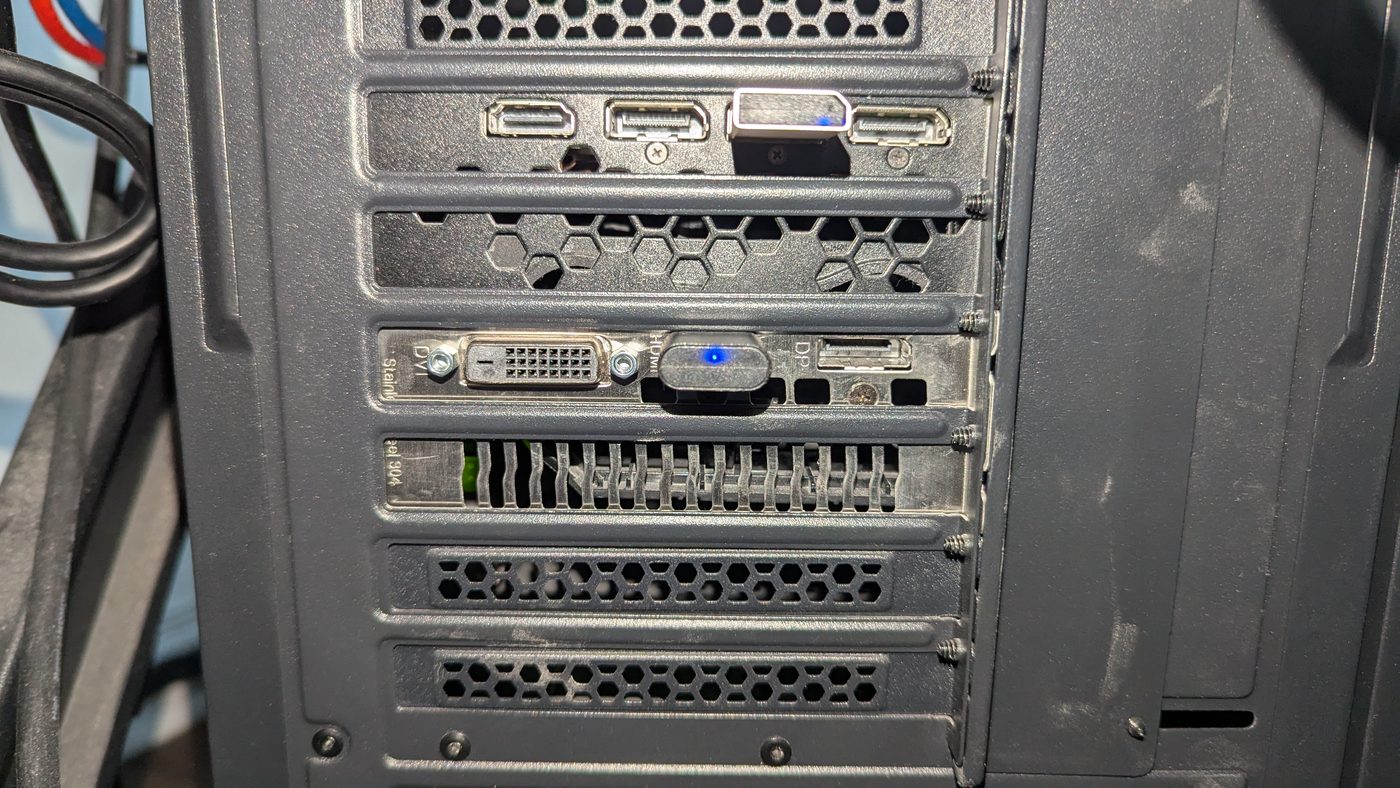
The two small blue-LED plugs are dummy plugs, which simulate a monitor. With no screen attached, a card declares no active output and the desktop lives only on the VM’s emulated screen. Three dollars each, the price of making a machine with no screen behave like a machine with one.
A graphics card becomes a service
The host has to agree never to touch the cards: no NVIDIA driver, no nouveau. At boot the kernel binds them to vfio-pci, whose only job is to hold them available for the virtual machines.
On the host, the reservation is one line, four ids, the two graphics processors and their two audio functions:
# hosts/gaming-01/configuration.nix
boot.kernelParams = [
  "intel_iommu=on" "iommu=pt"
  "vfio-pci.ids=10de:2503,10de:228e,10de:2584,10de:2291"
];
On the station, two blocks in the VM definition, the graphics processor and its audio, which must travel together:
<!-- hosts/arcade2/libvirt-domain.xml -->
<hostdev mode='subsystem' type='pci' managed='yes'>
  <source><address domain='0x0000' bus='0x17' slot='0x00' function='0x0'/></source>
</hostdev>
<hostdev mode='subsystem' type='pci' managed='yes'>
  <source><address domain='0x0000' bus='0x17' slot='0x00' function='0x1'/></source>
</hostdev>
So adding the second card was a commit, reviewed before being applied. The host did not even need a reboot: the configuration applied live and the VM claimed the card on its next launch.
A gaming station comes down to three values
For a service to be a service, you have to be able to make another copy without thinking. Everything the two stations have in common lives in a module imported by both: the desktop, Steam, and the settings that keep a machine with nobody in front of it streamable.
# modules/arcade-desktop.nix, imported by both stations
services.desktopManager.plasma6.enable = true;
programs.steam = { enable = true; remotePlay.openFirewall = true; };

# Pre-authorize screen capture for Steam. Without it a human would have to be
# at the machine to click "Allow" on EVERY boot, and the whole idea of a
# station that comes up by itself falls apart.
systemd.user.services.steam-portal-preauth = {
  wantedBy = [ "graphical-session.target" ];
  script = "busctl --user call ... SetPermission sbssas kde-authorized true remote-desktop \"\" 1 yes";
};

# A streaming host can only stream a live, unlocked session.
environment.etc."xdg/kscreenlockerrc".text = "[Daemon][$i]\nAutolock=false";
systemd.targets.sleep.enable = false;
That block is the heart of “nobody needs to walk to the machine”. A normal desktop locks, sleeps, and re-asks for permission to share its screen every session. All three behaviours are off here, and the [$i] makes the setting immutable so no per-user preference can turn them back on. On this machine, a lock screen is an outage.
What actually separates the two stations comes down to three values:
# hosts/arcade2/configuration.nix, everything else comes from the module
imports = [ ./hardware-configuration.nix ../../modules/arcade-desktop.nix ];

gpu = true;                                          # the card is there
services.displayManager.autoLogin.user = "ludorl82"; # whose session opens
fileSystems."/games".device = "/dev/disk/by-label/arcade2-games";
All of it is public, sanitized: github.com/ludorl82/nixos-iac-public. While preparing that publication, the review caught two things the sanitizing tool let through: a family member’s account name, and the SSDs’ serial numbers where they appear in a comment rather than in a device path. Both now have a rule and a test. A script does not know a role name from a real person’s name: that review does not get delegated.
What breaks anyway
A service at home is still hardware in a basement.
A card can outlive its VM in a state nobody wakes it from. On the very first shutdown of the second station, the guest froze looping on an NVIDIA driver error. After a forced stop, the host read the card’s PCI configuration space as a run of 0xFF and refused to start the VM. Electrically, the card was gone. A host reboot brought it back.
A paused VM is a perfect impression of a network outage. The first station stopped answering, no ping, no guest agent. It wasn’t the network: libvirt had paused it on a write error, which it does to stop the guest corrupting its data. The SSD carrying its Steam library had just dropped off the bus. The lesson: before suspecting the network, ask the hypervisor what state it thinks the machine is in.
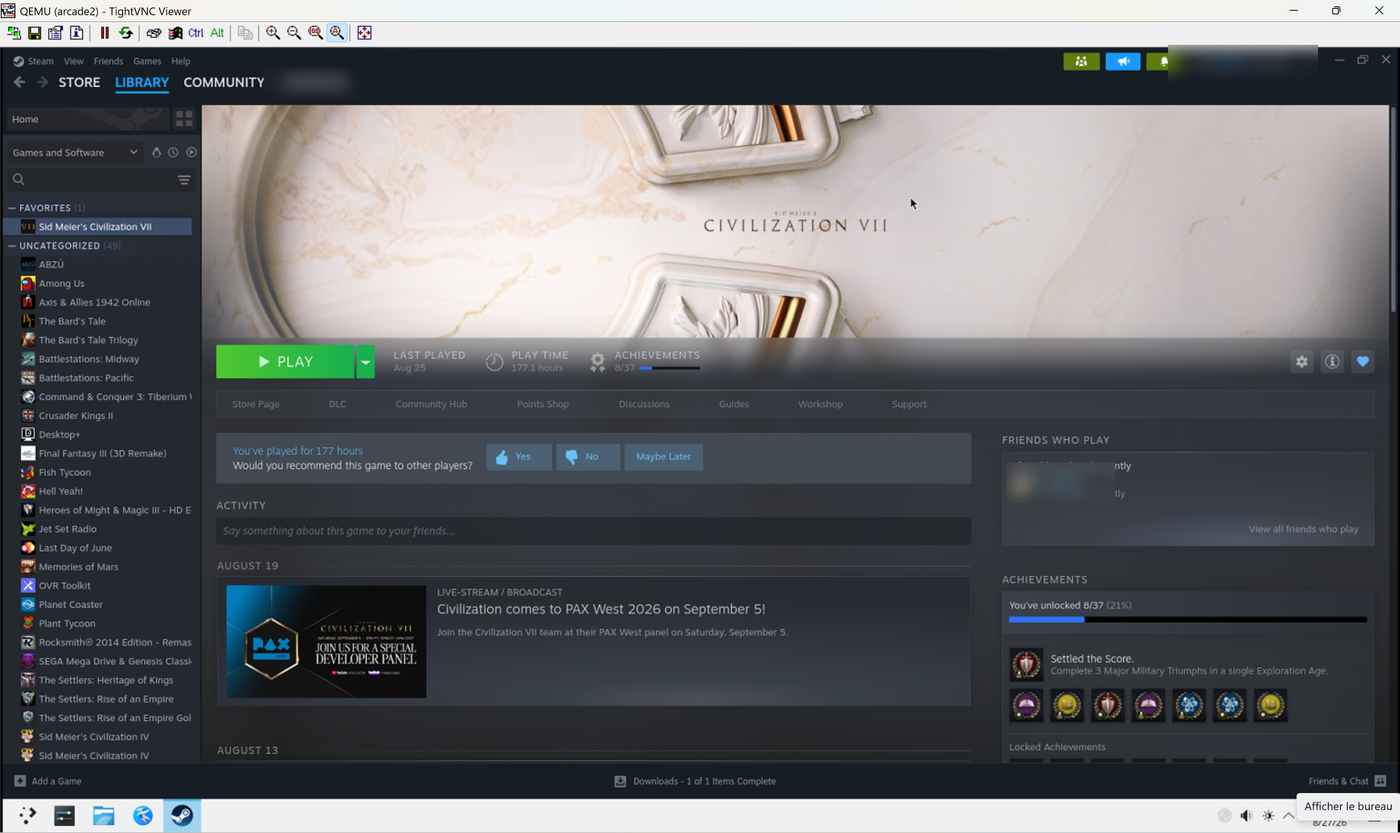
And sound cutting out is never about the network. When the picture stayed smooth but the audio skipped, the cause was neither the stream nor the audio server. Steam holds its frame rate by duplicating frames, but it cannot fake sound. Sound cutting out is the only honest witness that the game is stuttering. Here the game was running at 1440p on the small card, wedged under its big sister, fan at 94% and thermal throttling active. The real conclusion isn’t “lower the resolution”: it is that density has a price, and it is paid in ventilation.
What I take away from it
A service’s interface matters more than its machinery. Under the switch there is vfio passthrough, a cluster being evacuated and a guest agent. In front of it there is a button in a room. That is the right level of abstraction: nobody in the house has to know they are displacing a cluster to start a game.
A gaming station fits in a git repository. If the tower burned down tomorrow, I would rebuild both machines identically without remembering a single checkbox.
Hardware stays hardware. A dead SSD, a card stuck powered off, two cards running hot: git removes configuration drift, not failure.
The chassis ventilation is still to sort out. But for now, two people play at the same time, each from their own office, and nobody had to go down to the basement.
— Ludo