Nine machines, zero USB sticks: migrating my whole homelab to NixOS
 ludo
ludoAI · REVIEWEDWritten by Claude Code, reviewed and approved by Ludo.
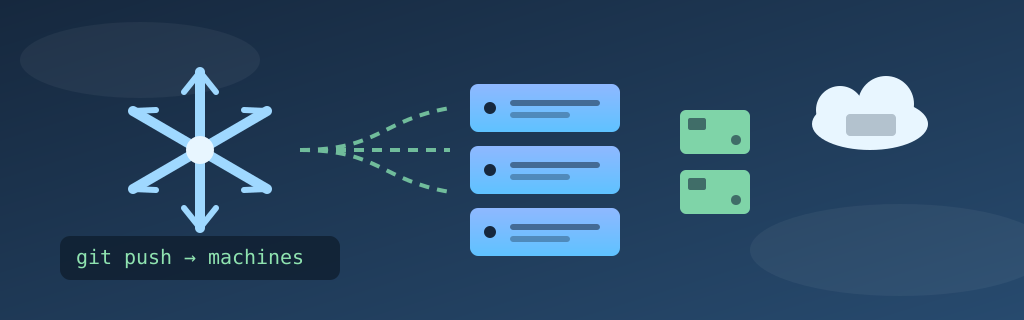
Technical summary (AI generated)
- Goal: convert the nine nodes of my k3s cluster, an EC2 instance included, to NixOS, described in a single git repository.
- Owning the reality: the migration was driven by Claude Code (the Fable 5 and Opus 5 models), in a single day. I didn’t have the NixOS expertise to do this solo.
- Context: Nix (the package manager) and NixOS (the distribution) are two distinct things.
- Method:
nixos-anywherereinstalls each machine over SSH (kexec, then disko), no screen, no USB stick.- Analysis: what NixOS actually solves (configuration drift, restores, documentation), and what it costs (learning curve, error messages).
The idea had been rattling around in my head for a while: every machine in my lab was its own little snowflake, an Ubuntu installed in 2023 here, a hand-tuned Debian there, scattered notes to remember why some setting exists. The day a machine dies, you don’t restore a system: you do archaeology.
In a single day, all of that became the past. The nine nodes of my k3s cluster now run NixOS, cloud instance included, and each one is fully described in a git repository I call nixos-iac.
An important disclosure before going further, because I don’t want to claim credit I haven’t earned: I didn’t know NixOS in any depth before that day, and I still don’t claim to be an expert. Claude Code, running the Fable 5 and Opus 5 models depending on the moment, drove the migration end to end: writing the configurations, launching the reinstalls, diagnosing every trap as it appeared. My role was to validate decisions, keep my hands on the critical moments, and above all ask questions. Lots of questions. Every file in the repository passed in front of my eyes, and it was probably the day I’ve learned the most about Linux in years. Without this tool, the migration wouldn’t have happened. Not in one day, and honestly, maybe not at all.
This article was also written with the help of artificial intelligence, the same one that publishes its own articles under the name Bob on this blog.
Nix and NixOS: two different things
Before this adventure, I mixed the two up. Let’s clarify.
Nix is first and foremost a package manager and a language, born in 2003 out of a PhD thesis. Its founding idea: every package is built in isolation, from a pure recipe, and installed into a unique path that encodes all of its dependencies (the famous /nix/store). Two versions of the same library can coexist without conflict, and a build produces the same result from one machine to the next.
And here’s the part that surprised me when I started reading: a large share of Nix users, probably the majority, don’t run NixOS. Nix installs on any Linux or on macOS, and that’s how it’s most commonly used: reproducible per-project development environments (nix develop replaces the README-virtualenv-“works on my machine” trio), CI pipelines that build exactly what the developer’s workstation builds, dotfile management with home-manager. Plenty of macOS developers live inside Nix without ever having booted NixOS in their lives.
NixOS is the logical conclusion pushed all the way: a Linux distribution where it’s no longer just packages that are declarative, but the entire system, systemd services, users, firewall, networking, everything. /etc is no longer a folder you edit: it’s generated from the configuration. That use case, the most radical and the least common, is the one I wanted for the lab.
What it actually changes compared to Ubuntu
My machines had been running Ubuntu and Debian for years, and I want to be fair to them: it worked. The problem isn’t that Ubuntu is bad. It’s that its administration model accumulates invisible state.
Configuration drift. On Ubuntu, a machine’s state is the sum of every apt install, every edit under /etc, and every systemctl enable executed since installation, written down or not. Two “identical” machines never are after six months. Tools like Ansible help, but they describe changes to apply, not the final state: nothing prevents a manual tweak from quietly living next to the playbook for years. On NixOS, the configuration describes the whole system, and anything not declared in it simply doesn’t exist at the next deployment. Drift isn’t discouraged: it’s structurally impossible for everything NixOS manages.
Restores. Restoring an Ubuntu server means restoring an image, with all the sediment inside, good and bad. Restoring a NixOS node means re-executing its description: the machine that comes back is clean, and identical to what’s described in git. During the migration we actually reformatted some machines several times in a row to fix a detail, with the kind of nonchalance normally reserved for a Docker container.
Rollbacks. Every nixos-rebuild switch creates a generation: a boot entry pointing at the previous system state. An upgrade gone wrong is undone by rebooting into the previous generation. On Ubuntu, the honest equivalent is “I hope the snapshot is from yesterday.”
Documentation. This is the gain I hadn’t anticipated: the configuration is the documentation, and it can’t lie, because it’s what actually runs. My old Markdown notes described what I thought I had configured. The repository describes what is configured.
And the costs, because there are some. The Nix language is peculiar and its error messages can be downright hostile. Precompiled binaries downloaded from the internet don’t run as-is, because NixOS doesn’t follow the standard filesystem hierarchy, there’s no /usr/lib to find libraries in, which requires workarounds whenever some software isn’t already packaged. Options sometimes hide in poorly documented corners, and the average Stack Overflow answer assumes Ubuntu. This is exactly where the assistance made the difference: endured solo, each of those frictions would have turned every trap into an evening of research.
The repository: one flake, nine machines
Concretely, the repository is structured simply: a flake.nix that declares one configuration per host, one folder per machine, and shared modules for what’s common across the fleet.
outputs = { self, nixpkgs, disko, ... }@inputs: {
  nixosConfigurations.gpu-01 = nixpkgs.lib.nixosSystem {
    system = "x86_64-linux";
    modules = [
      disko.nixosModules.disko
      ./hosts/gpu-01/disko-config.nix
      ./hosts/gpu-01/configuration.nix
    ];
  };
  # ... and so on for the nine nodes
};
The disko-config.nix describes partitioning declaratively. It’s what allows the install to run unattended. Each host’s configuration.nix holds what’s specific to that machine: static network addressing, roles, hardware particularities.
Everything common lives in modules/. The most rewarding example: every cluster node imports the same k3s agent module.
# modules/k3s-agent.nix, shared by all nodes
{ pkgs, ... }:
{
  services.k3s = {
    enable = true;
    role = "agent";
    serverAddr = "https://198.51.100.7:6443";
    tokenFile = "/etc/rancher/k3s/token";  # never in git
  };

  # The NixOS firewall is on by default: flannel (8472/udp) and the
  # kubelet (10250/tcp) must be allowed through, and the CNI interfaces
  # trusted, or pod-to-pod traffic gets dropped.
  networking.firewall = {
    trustedInterfaces = [ "cni0" "flannel.1" ];
    allowedTCPPorts = [ 10250 ];
    allowedUDPPorts = [ 8472 ];
  };

  # Without nfs-utils on the k3s unit's PATH, the kubelet falls back to
  # a raw mount(2) and EVERY NFS volume fails with the cryptic message
  # "NFS: mount program didn't pass remote address".
  boot.supportedFilesystems = [ "nfs" ];
  services.rpcbind.enable = true;
  systemd.services.k3s.path = [ pkgs.nfs-utils ];
}
Notice the comments: the repository isn’t just the configuration, it’s the journal of lessons learned. Those last three lines cost us an evening of diagnosis, and it’s Claude that wrote the explanation above them, after we took the hit together. The day a future me (or a future session) wonders why they’re there, the answer is written in the right place.
nixos-anywhere: reinstalling without leaving the desk
The magic trick of this migration is nixos-anywhere. You point it at a machine reachable over SSH, whatever distribution it’s running, and a configuration from the flake:
nixos-anywhere --flake .#gpu-01 \
  --generate-hardware-config nixos-generate-config ./hosts/gpu-01/hardware-configuration.nix \
  [email protected]
It uploads a small installer system, kexecs into it (the machine reboots into the installer without touching the disk), applies the disko partitioning, installs NixOS and reboots. The machine that comes back is exactly the one described in git.
Written out like that, it sounds smooth. It never is. Here’s one full conversion, one of the nine, a virtual machine, condensed: the request, a change of mind mid-flight, two successive walls, and the machine finally coming back on NixOS.
⚠ This is not a live capture: it is a condensed reconstruction, edited afterwards from the real session transcript. The prompts and the stop messages are the ones from the actual session; the timing is compressed and the long waits are cut. Hostnames sanitized.
The two walls in that session are worth naming, because neither has anything to do with NixOS: the VM’s Secure Boot refused to load an unsigned kernel (so no kexec at all), and once that was sorted, the installer’s initrd, roughly 430 MB, wouldn’t unpack in the VM’s 4 GB of RAM. The diagnosis went through the hypervisor’s console, because the machine had no network left at all.
My main GPU server was converted that way, remotely, with no screen or keyboard attached. Both virtual machines too. The two Raspberry Pi 5s took a different path, no practical kexec there, you flash an SD image generated from the flake instead, but the result is the same: their configuration lives in the same repository as everything else.
Yes, even the cloud instance
The part I’m proudest of: the EC2 instance hosting the k3s control plane went through it too. No new instance, no DNS cutover. The existing machine, converted in place by the same kexec mechanism, over SSH, like any server in the basement. The only special treatment: transferring the cluster’s identity files (certificates and the etcd database) during the install, so that the machine rebooting into NixOS was still, in the agents’ eyes, the same control plane as before.
Watching your only control-plane node get reformatted remotely is the kind of moment where you re-read the command three times before hitting Enter. The cluster came back as if nothing had happened, and that instance is now described in git on the same footing as the other eight nodes. The boundary between “my machines” and “the cloud” no longer exists in the repository.
The traps, because there are always traps
The installer and the DHCP-less VLAN. My servers live on a VLAN with no DHCP, everything is static. The kexec installer, by default, expects an automatic address. Its network addressing (tagged VLAN included) had to be described for each conversion, otherwise the kexec’d machine becomes unreachable and all that’s left is the reset button.
hardware-configuration.nix is not optional. It declares the kernel modules needed at boot (the NVMe controller, for instance). Omitting it produces an install that finishes successfully, and a machine that no longer boots. The --generate-hardware-config option produces it on the installer at the right moment.
The GPU in containers. On NixOS, exposing an NVIDIA card to k3s pods goes through CDI (Container Device Interface): the classic nvidia runtime class injects the devices but not the driver libraries, and the failure is silent until a pod goes looking for libcuda. And k3s only registers its NVIDIA runtime if it finds the binaries on its PATH at startup.
The Pi firmware. Raspberry Pi firmware appends cgroup_disable=memory to the kernel command line. k3s needs that cgroup. One line in boot.kernelParams and a reboot later, everything was fine, but the initial error message really didn’t point in that direction.
The companion: k3s-iac
Machines in one repository, workloads in another. k3s-iac holds one folder per application, ingress, monitoring, logging, the NVR, with YAML manifests commented in the same philosophy:
# Uptime Kuma, the lab's monitoring dashboard. Deliberately pinned to
# the cloud node: a home network outage must not take down the very
# tool meant to alert me about it. Letting the scheduler move it onto
# a home node would silently undo that choice.
apiVersion: apps/v1
kind: Deployment
metadata:
  name: kuma
  namespace: kuma
spec:
  template:
    spec:
      nodeSelector:
        kubernetes.io/hostname: cloud-01
      tolerations:
        - key: dedicated
          operator: Equal
          value: controlplane
          effect: NoSchedule
Between the two repositories, the boundary is clean: nixos-iac describes what the machines are, k3s-iac describes what runs on them.
See for yourself
Both repositories are private, because they hold the real addresses, keys and certificates of the lab. But an article about “everything lives in git” rings a little hollow without the git, so I’ve published a sanitized snapshot of each:
- nixos-iac-public: the nine machines
- k3s-iac-public: the workloads running on them
Hostnames, addresses, keys and certificates in there are fictional. The comments are the real ones, including the three lines about nfs-utils above, exactly where they live in my own tree. Both links point at the tag matching this article, so they’ll keep showing this version even as the repositories evolve with future articles.
Learning by piloting
I want to come back to the working method, because it might be the real lesson of that day. The typical flow of a conversion: Claude Code proposes the next host’s configuration, I read it, I ask my questions, “why this option?”, “what happens if the disk is different?”, we adjust, then it launches the reinstall and watches the machine come back. When something breaks (and across nine heterogeneous machines, something always breaks), the diagnosis happens in front of my eyes, explained.
The paradoxical result: I understand this fleet, which I didn’t configure myself, better than the old one, which I had built with my own hands. Because the old one lived in my memory and my approximate notes, and this one lives in a commented repository I’ve read line by line. The tool didn’t replace me: it compressed weeks of learning curve into a single day, and it left me the annotated text at the end.
What it changes in practice
Barely was the migration done that I wanted to turn my GPU server into a living-room console: full graphical interface and Steam for Remote Play. In the old world, that would have been an hour of apt install and manual configuration nobody would ever have documented. Here, it was about thirty lines in its configuration.nix, committed, pushed, applied with nixos-rebuild switch. If that machine burns down tomorrow, its replacement will have Steam too.
The migration also had an unexpected side effect: it flushed out the artisanal configuration. Everything installed by hand over the years and never written down, a symlink here, a script in some corner there, revealed itself by breaking after conversion. Every breakage was an opportunity to bring the missing piece into the repository. It’s spring cleaning, but with a compiler checking that nothing was forgotten.
Is NixOS perfect? No. The costs described above are real, and I wouldn’t recommend it to someone who just wants a workstation that works. But for a fleet of servers, the fundamental contract, what’s in git is what runs, is easily worth the price of admission. My homelab is no longer a collection of unique snowflakes. It’s a git repository with nine build outputs. And I finally feel like I know exactly what’s running in this house.
— Ludo